
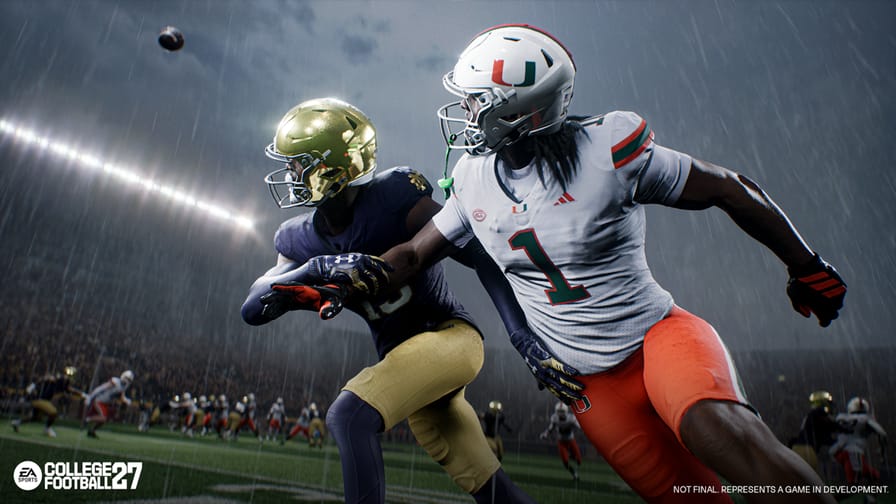

For years, the battle at the line of scrimmage has been unfair, and not in the way you might think. Offenses could snap the ball before the defense finished adjusting. One quick snap, and your entire pre-snap setup was wasted. Meanwhile, getting your coverage shell dialed in, containing the quarterback, and shading your corners correctly meant burning through eight, ten, sometimes twelve button presses while the play clock ticked down.
EA heard the frustration. Custom Adjustments/Macros are the answer. And if you're not already thinking about how to build yours, you're going to be behind from day one.
What Are Custom Adjustments?
Scott O'Gallagher put it best during the Opening Drive reveal: Custom Adjustments are about giving players their own unique football language. Every pre-snap option and coaching adjustment EA has ever offered is now available to bundle into a single macro call. You build them in the front end, name them, and assign them to a button. When you need them, you tap L1, select your macro, and everything fires at once.
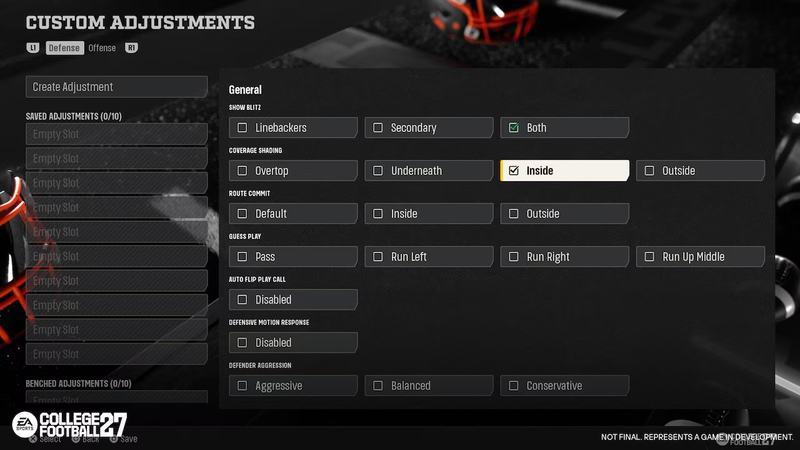
Here's how the system works at a glance:
Build phase: Create up to 40 custom adjustments - 20 on offense, 20 on defense
Game day: You can only bring 20 into a game (10 offense, 10 defense) - choose wisely
In-game activation: Hold the button of the play you want to call, similarly to how you call a stunt in CFB 26, and select your macro or tap L1 at the line of scrimmage to call it on the fly.
The Defensive Game Changer: No More Racing the Snap Count
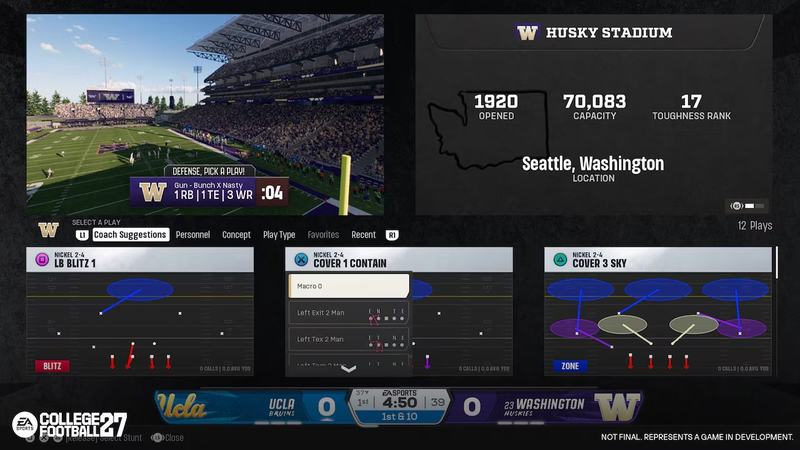
This is where I think Custom Adjustments hit the hardest. Think about 3rd or 4th and long. You're trying to get your coverage shell set, rotate your safeties, shade your corners, and get a QB contain called, all before the offense snaps it in your face. One missed adjustment, and your outside linebacker blitzing doesn’t get the contain on the quarterback, and your opponent scrambles around the edge for an easy first down. Game over.
Now? You build that entire setup in the offseason menu, name it something like "3rd Long Shell," and call it with two button presses at the line. Show blitz, pinch the line, press the DBs up, QB contain, what used to take a frantic ten-second scramble now fires instantly. The pre-snap chaos that offenses have been exploiting for years just got a hard counter.
The Offensive Case: Blitz Pickup in Two Clicks
The defensive side gets the headlines, but do not sleep on what this means for offense. In previous years, picking up a blitz, whether it was a Cover 0 mid blitz or some kind of overload pressure, meant going through what felt like 12 or 13 button presses. First, you had to set up your route combo, then flip to protection adjustments, all while your opponent had simply called their play and was ready to roll.
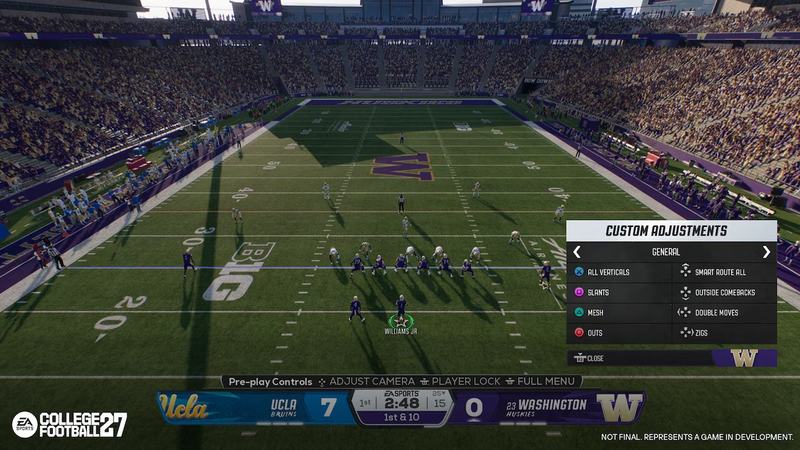
That's over. Now I can bundle my hot route package and my protection call into one macro and fire it with two clicks. The offensive side of Custom Adjustments, shown in the reveal — All Verticals, Slants, Mesh, Outs, Smart Route All, Outside Comebacks, Double Moves, Zigs, is essentially a pre-built route concept library at your fingertips. You're not scrambling. You're executing.
How I Plan to Use My 10 Wisely (on offense)
You can build 40 macros, but only bring 20 into a game. That constraint is intentional, and honestly, it's what makes this feature feel like real football. You have to have a game plan before you step on the field. Here's how I'm thinking about allocating mine:
Redzone stack (2-3 slots): The redzone is a completely different game. Tighter windows, compressed coverage, specific protection needs. I want dedicated macros for this situation, so I'm not burning time at the line when field position is at a premium.
Hash-specific setups (2 slots): The ball being on the left or right hash changes leverage for every route on the field. Having macro packages tuned to each hash means I'm always in the right alignment without thinking about it.
Coverage recognition (2 slots): If my opponent is clearly sitting in Cover 3 or Cover 4 all game, I want a macro ready that exploits those specific looks, specific route combos that attack the voids in those coverages, fired instantly.
Blitz pickup (2-3 slots): Different blitz types need different answers. A Cover 0 mid blitz and an overload blitz don't get beaten the same way. Having two or three dedicated anti-blitz packages means I'm never caught without an answer.
The Detail Everyone Is Sleeping On: Crowd Noise Immunity
Here's the piece of this feature that I don't think is getting enough attention. Custom Adjustments are immune to stadium pulse effects. Crowd noise does not affect your macro calls.
I'll be honest, I personally did not enjoy competitive Dynasty or Road to Glory playoff games when I was the away team because of how much the stadium pulse affected my ability to make adjustments. That friction was real. It made certain hostile environments feel unfair in a way that had nothing to do with football IQ.
Now? If you've done the work in the offseason and built your macro packages properly, you can walk into Death Valley, or the Horseshoe as the away team, and still execute your pre-snap plan without scrambling. Your preparation overrides the environment. That's exactly how it should work, and it's going to open the door to more varied, strategic gameplay beyond Ultimate Team. Expect to see competitive Dynasty players stepping up in ways we haven't seen before.
Offense Still Has the Edge, But This Is Now a Real Chess Match
I want to be real with you: I still think offense will have the advantage in CFB 27. The combination of Formation Shifts and Custom Adjustments on the offensive side gives the ball carrier a pre-snap toolkit that defenses are going to struggle to keep up with. The offense still dictates the terms of engagement.
But here's what's changed: The defense can now fight back with the same speed. For the first time, a defensive player who has done their homework can match the pace of an elite offensive player at the line of scrimmage. That gap has been closing for years, and Custom Adjustments might be what finally closes it for good at the highest level of play.
This is now a chess match in the truest sense. The offense makes a move. The defense has an answer ready. The offense counters. And whoever built the smarter macro package and reads the situation faster wins the rep. That's football. That's what this game has been building toward.
One Honest Critique
Setting up your macro library is going to feel overwhelming at first. There is no way around that. You're essentially building a playbook within a playbook, and getting it right is going to take time and experimentation. Casual players may look at that creation screen and immediately feel lost, and that's a real barrier.
My personal wishlist for a future iteration: let us build adjustments from the field, not just a menu. If I could see my formation on the field and tie adjustments to specific looks in real time, I'd know exactly what I'm saving and why. Building from a menu is functional, but building from the field would make this feature elite.
That said, EA deserves real credit here. This is a massive step in the right direction. We're only scratching the surface of what's possible with this system, and the players who put in the work to master it are going to have a significant edge over everyone who doesn't.
Final Thought
Everything I've seen so far tells me this feature is going to reward preparation in a way CFB never has before. The players who treat their macro setup like a real game plan, not an afterthought, are going to look like they're playing a different game than everyone else.
Check back in when the game drops. I'll have my full macro setup ready to break down, and I want to hear how you're building yours. I'm curious what you think: Is this better for offense or for defense?

Comments