

Along with EA's announcement of the MVP+ Membership, access to the Closed Beta for College Football 27 also opened last night! Beta Access is only open until 11am ET on Sunday, June 7th. Only MVP+ Members will have access to the Beta this weekend, so that means Xbox X|S and PlayStation 5 only for now.
For the official EA Campus Huddle Notes on the Closed Beta, click here.
Dates
- Start: Thursday, June 4th at 10pm ET
- End: Sunday, June 7th at 11am ET
Available Modes in the Closed Beta
- Online Dynasty (Cross-Play is Optional)
- Offline Dynasty
- Road To The College Football Playoffs (H2H)
- Road To Glory
- Ultimate Team
- Play Now
- Mascot Mashup
Rules About the College Football 27 Closed Beta
- The College Football 27 Closed Beta is playable in English language only, on PlayStation 5, Xbox Series X|S, and PC via the EA app and Steam. MVP+ Members will get access on PlayStation 5 or Xbox Series X|S. You must be 18+ and in the U.S. or Canada to participate.
- When participating in the confidential College Football 27 Closed Beta, you must refrain from recording, streaming, and/or capturing any portion of the closed beta.
- You must also not post videos, thoughts, discussions, screenshots, or stream the closed beta on social media or the Internet. Doing so will result in removal from the closed beta as well as potential enforcement on all College Football accounts.
Tips For Submitting Feedback
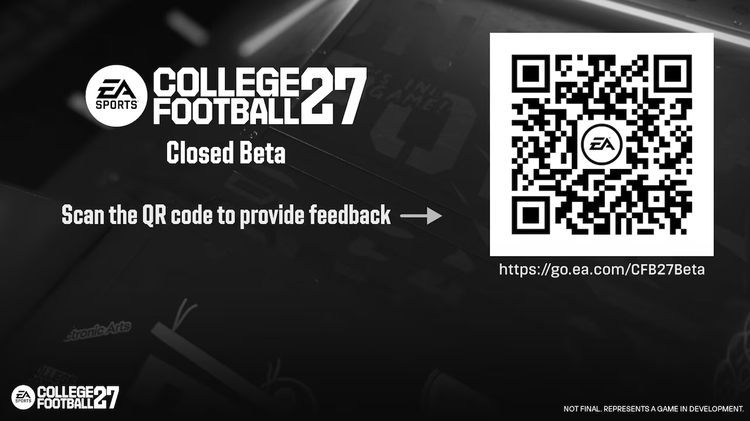
*Please be sure to submit all feedback on the new EA Forums website.
Below are some questions to think about when reporting an issue or providing feedback:
- What platform are you playing on?
- What platform are you playing against?
- Where specifically did you see the issue?
The following details are extremely important:
- Game Mode
- Game Style
- Game Difficulty
- Teams Used
- Playbook Used
- Play Call - If a specific play is not applicable, what kind of playcall are you seeing? (e.g. Screen, Play Action, Outside Run, Inside Run, etc.)
- Any adjustments used during the play?
- If applicable, what buttons did you press?
- Were you doing anything specific in-game? Is this a repeatable issue?
- What did you do prior to identifying an issue?
- What game settings are you using? Did you change any settings at any point?
- Have you seen the issue before?
- Where specifically did you see this issue?
How to Download the College Football 27 Closed Beta
For MVP+ Members, you will have received an invite email with your redemption code. To download the College Football 27 Closed Beta to your system, please follow the instructions below:
To download on PlayStation:
- Post purchase of MVP+ Membership, search for the Closed Beta by looking up the College Football 27 Beta titled "CFB27 College Test Realm"
- If you're an MVP+ Member, you can then download the CFB BETA
- Access CFB 27 BETA at 10PM est
To download on Xbox:
- Post purchase of MVP+ Membership, College Football 27 Closed Beta will become part of your catalog titles
- Download CFB Beta beginning 8pm EST
- Access CFB 27 BETA at 10PM EST
To download on EA App or Steam:
- Go to your Game Library.
- Select “Redeem Code”.
- Enter your provided code and get ready to play.
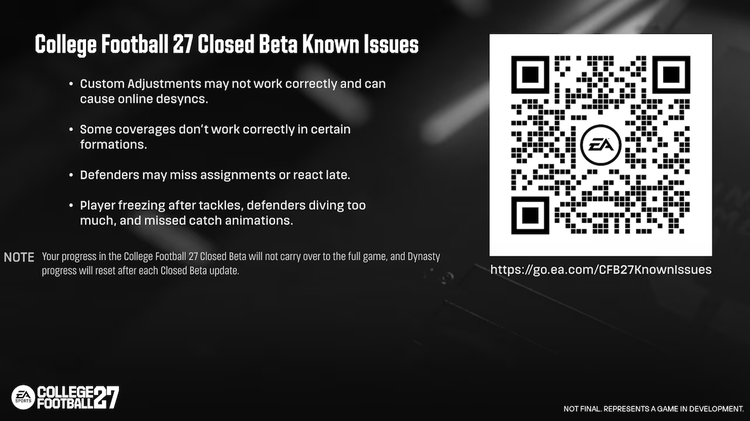
College Football 27 Closed Beta Known Issues
Below is a list of issues EA is already aware of and has addressed for future updates.
- Some coverages don’t work correctly in certain formations
- Defenders may miss assignments or react late
- Pass rush and run blocking are too strong right now
- Occasional bugs:
- Players freezing after tackles
- Defenders diving too much
- Missed catch animations
- Custom Adjustments may not work correctly and can cause online desyncs
- Abilities and Coach Cam visuals are not final and may show incorrect info
Ultimate Team Known Issues:
- Art inconsistencies and placeholder images
Note: The Player Ratings throughout the College Football 27 Closed Beta have been scrambled/randomized and are not final.
Comments