

There are parts of the Player Filters I’ve realized tend to get overlooked, and I wanted to do a small write-up highlighting some of the more niche but powerful parts of the filters that can help with improving your CUT lineup.
*I’ll be skipping over the General and Abilities sections of the filters
Prices
Here you can set a price range for players you'd like to show up. The Show Cheapest Training checkbox will show you the Coin to Training ratio for each player item on the list view. Prices shown here are the median selling price of that item based on previous sales.
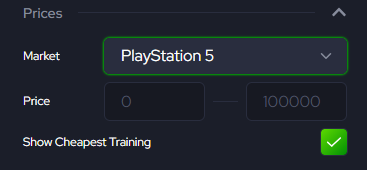

This can be useful for finding which players are the best deals if you’re looking in specific OVR bands.
You can also check out the cheapest training prices on our prices dashboard, Here
Chemistry
Looking at our Theme Team depth charts is the easiest way to see the highest OVR players in each Position for a Scheme or Theme team. However, there's no way to look for players who are cheaper or fulfill both scheme and theme you may be looking for in the theme team depth chart. That’s something you can do here with the Chemistry section of the filter.
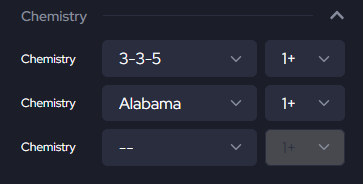
Or
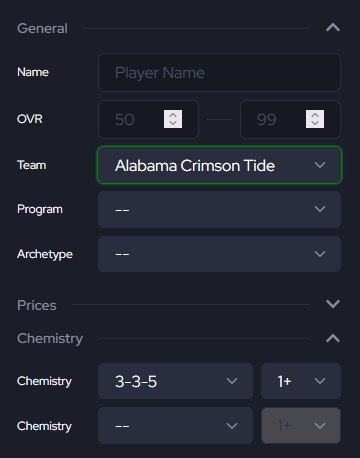
By combining both a Scheme chemistry with a specific team or team chem here you’ll get all the players who fulfill both.
*Theme chemistries are filtered by the chemistry the player has unlocked by default. At the time of writing this, there are no players with two or more team chemistries unlocked by default.
Custom Filters
This portion of the filters, in my opinion, is the best part of the filters. Using custom filters, you can really fine-tune what you’re looking for by combining multiple custom filters.
Ratings
You can filter players by specific ratings. Want to look specifically for a CB with 89 MCV and ZCV or more, as well as 90 SPD or more?
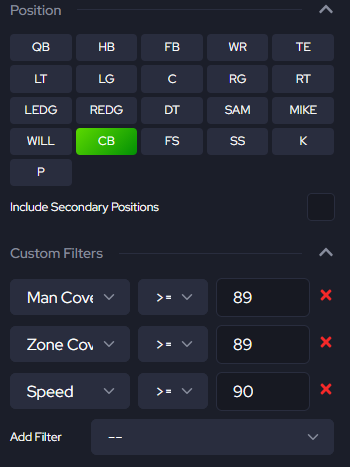
You can look for one specific rating, or combine as many ratings until you find a player who fits what your team needs.
Traits
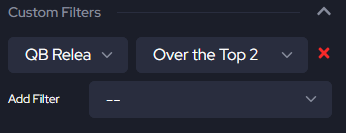
You can also use the custom filters to look for players with specific traits. For most people, QB Release will be the most useful. Here you can look for players with the QB Release you want.
Another useful trait to look for is Throws Tight Spirals for QBs.
Other
We also have a few other options for the Custom Filter:
- Height (inches)
- Weight
- Limited Edition
- Auctionable
These can be great in combination with other filters. For example, if you’re looking for a MIKE with Silver Hammer who’s also 250+ lbs, or you’re looking for WRs you can buy from the auction house with the auctionable filter.
Using all the parts of the Player Filter can really help you find that specific player you need that fits your playstyle or the one that completes your lineup.